![Swept Logo.png]](https://knowledge.sweptworks.com/hs-fs/hubfs/Swept%20Logo.png?height=50&name=Swept%20Logo.png)
Announcements are a great way to notify all staff and team members of an event, change or other general information.
Note: This feature is only available to Optimize, Scale, and Loyalty plans.
Mobile App
1. Open the Swept mobile app and make sure you are on the latest mobile version (version 6.3.0 or newer).
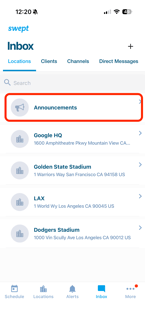
2. Tap Inbox in the bottom navigation.
3. At the top of the list, tap Announcements.
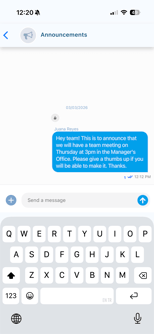
4. Type your announcement message.
5. Tap Send to broadcast it to all employees.
Web App
1. Click the Messaging icon in the upper-right corner.
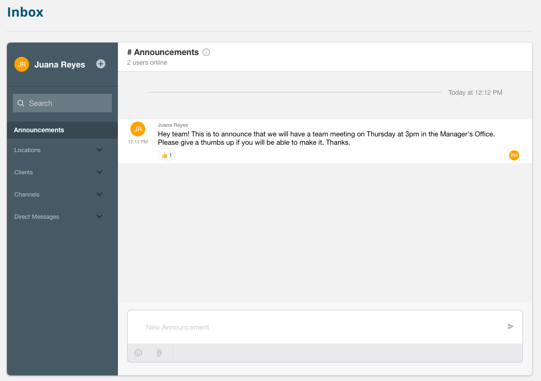
2. In the Messaging hub, select Announcements.
3. Type your announcement message.
4. Click Send to broadcast it to all employees.
Notes:
-
Only Managers and Admins can create announcements.
-
Supervisors and Cleaners can view announcements and add emoji reactions.